Job costing for a 5–30 person contractor, without buying an ERP
Estimate-versus-actual by category needs a job register and a variance view fed by the tools you already use, not an ERP. What the small system looks like.


A contractor on a trade forum asked for job-costing software recommendations. The thread describes a business most people in the trades will recognise: estimates built in Excel, hours on a timesheet app, materials on supplier invoices in the accounting system, and no way to see, job by job, which categories were overestimated and which ran over. The existing software he had looked at had far more than he needed and was priced for a company several times his size.
The thread got no answer. Here is ours.
What job costing actually needs
Strip it back and estimate-versus-actual needs four things:
- A job register. Every job with a number, a customer, a status and the estimate attached.
- The estimate by category. Labour, materials, subcontractors, equipment, other. Not the price; the cost you expected, split the way you think about it.
- Actuals by the same categories. Hours from wherever hours are recorded, materials and subcontractor costs from the accounting system, coded to the job.
- A variance view. Per job and across jobs: where you are over, where you are under, and whether the same category keeps overrunning.
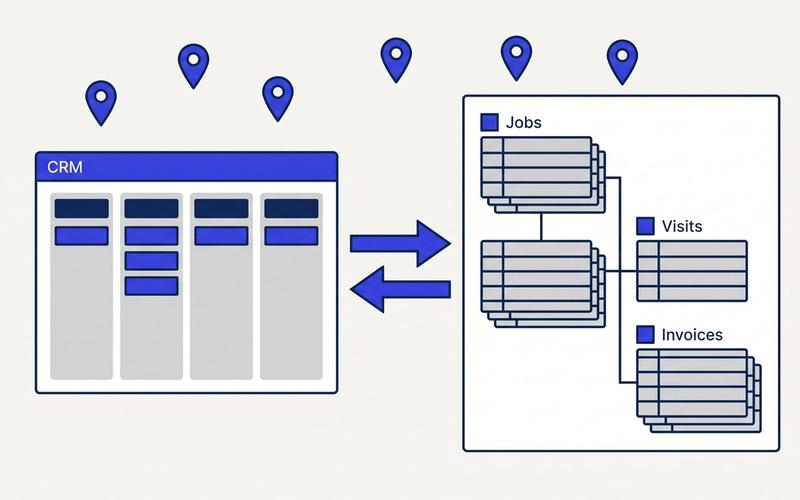
Most contractors already have three of the four. The estimate is in Excel. The hours are in a timesheet app or on paper. The costs are in Xero or QuickBooks, usually already tagged with a job name if someone has been disciplined. What is missing is the register that ties them together and the view that compares them.
That is not an ERP. It is a small system.
Why the ERP route fails at this size
An ERP solves job costing by making you do everything inside it: quoting, purchasing, timesheets, invoicing. For a 5-to-30 person contractor that means changing every habit at once, paying per seat for people who will touch it twice a week, and six months of setup before the first variance report appears. Most do not get that far. The ones who do often keep the Excel estimate anyway, because the estimator's method does not fit the ERP's template.
The forum thread said it in one line: the software had "way more features than I need."
The small system
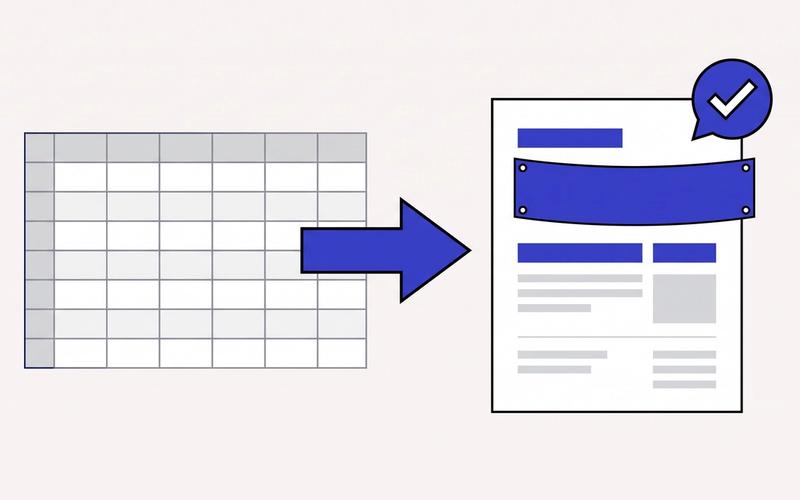
Keep estimating in Excel. The estimator's sheet is the method. We read it, we do not replace it. Each estimate gets saved against a job with its category totals; the sheet stays the sheet.
Pull actuals from where they already are. Hours from the timesheet app (or a two-field form on a phone if there is no app). Materials and subcontractor invoices from Xero or QuickBooks, matched to the job by the job number on the invoice or bill. Nobody re-keys anything.
One screen per job. Estimate, actual, variance, by category, updated as costs land. Flags when a category passes its estimate before the job is done, which is when you can still do something about it.
One screen across jobs. Which categories are consistently over. Which customers' jobs run worst. Which estimator's numbers hold. This is the view that changes how you price the next job, and it is the view nobody in the thread could get.
Weekly, not real-time. A contractor does not need live costing. A Friday snapshot and a flag when something crosses a line is what gets used.
What drives the cost
- How costs are coded today. If invoices in the accounting system already carry a job reference, the build is quick. If they do not, the first week is agreeing a coding habit, and the system has to make that habit easy.
- Where hours live. A timesheet app with an API is simple; paper is a small phone form.
- How many categories and how custom the estimate sheet is. Ten categories is normal. Forty custom fields takes longer to map.
This is a fixed-price pilot for us: one process, estimate-to-variance, delivered in two to four weeks after a Process Audit, running on your real jobs before anything else is proposed. The audit is a two-hour session with the estimator and whoever does the books, and it ends with a written teardown and a fixed quote.
When an ERP makes sense
Above roughly fifty staff, with multiple crews and purchasing that needs approvals, an ERP earns its cost. Below that, a job register with a variance view, fed by the tools you already pay for, gets you the answer the forum was asking for at a fraction of the change.
Where to start
Send us one finished job: the estimate sheet, the timesheet export and the supplier bills. We will show you what the variance view would have said about it, and whether it is worth building.